Skip to content

Tutoring at BTA, and the BTA app

A real tutor, and a whole learning app at home

Between lessons, the BTA app keeps them learning: 11 languages, typing, spelling and reading, maths games and tools and their own documents and slides.
Ella's home screen: today's learning goal, her Bushmate Pip and her homework.
Ella's home screen: today's goal, her Bushmate and what is due.

Tutoring programs

Programs at BTA

Maths and English tutoring for every stage from Year 3 to Year 12, planned week by week with a caring BTA tutor. Choose the stage that fits your child, and secure a place from the start of Term 1 2027.

Tutoring on Sydney's Northern Beaches and North Shore since 2015, and a member of the Australian Tutoring Association.

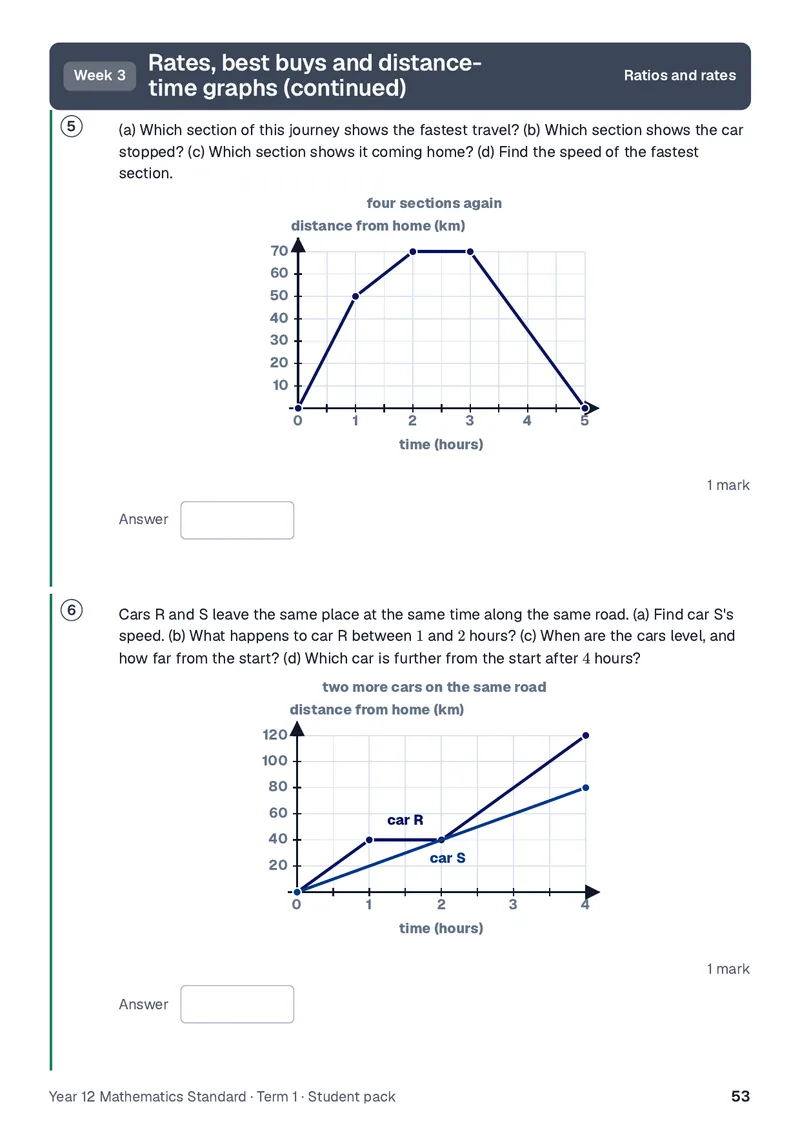
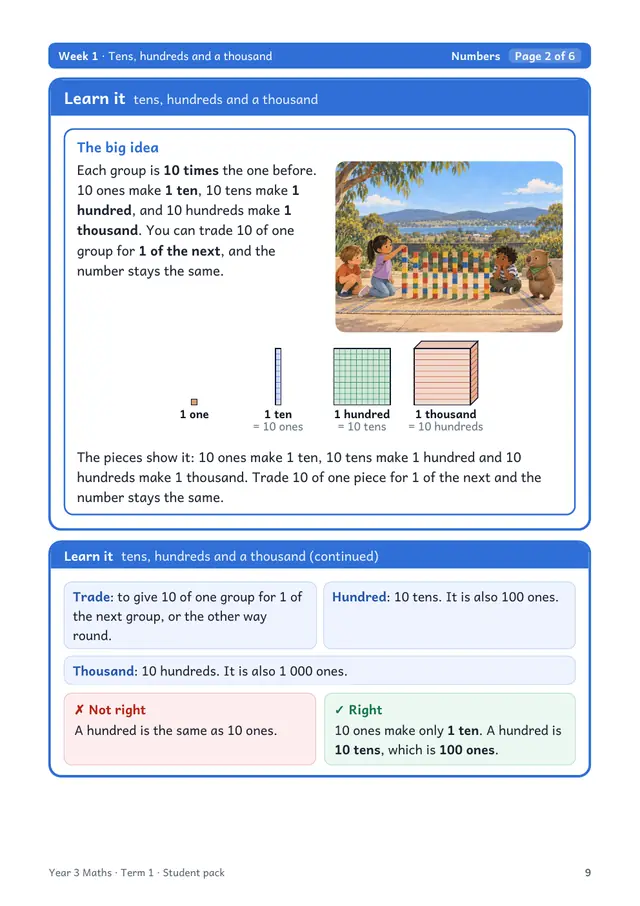
  1. A Year 12 Mathematics Standard practice page on distance-time graphs: two graphs of car journeys, each with a question and an answer box.
    03

    Year 11 and Year 12

    HSC

    Year 11 and 12 maths, and HSC English in Advanced and Standard, with the Year 12 course starting early.

    • Year 11 and 12
    • Maths
    • HSC English

Places are open from the start of Term 1 2027. Fees vary by campus and year level, so ask about them when you enquire.

Why families choose BTA

  1. 01

    A real tutor and an app, working together

    The lesson and the practice at home pull in the same direction.

    • Homework set by your child's own tutor
    • The tutor sees what keeps tripping them up
    • Practice set for what lessons are covering
    • An update for you after a lesson
  2. 02

    Included with your tutoring

    All of this comes with your BTA tutoring, at no extra cost, for every child.

    • Maths practice
    • Spelling and reading
    • Quick maths and spelling games, and a Bushmate
    • Progress you can see
    • The homework and notes your tutor sets
    • A full typing course
  3. 03

    One app for everything they learn

    Practice, schoolwork, lessons and messages to BTA, all in one place.

    • One login for all their learning
    • You see every child from one parent login
    • Each child sees only their own
    • Every child's lessons on one family calendar
  4. 04

    Safe, and you can see what we send

    There is no private channel between staff and your child.

    • You're added to anything staff share with them
    • Every tutor's working with children check verified
    • No advertising, and nothing sold to your child
    • You decide whether photos may be used

One app instead of a stack of subscriptions

Your own office, built into the app

Everything your child needs to write, calculate, present, draw and learn online comes with your BTA tutoring, in the same login.

  • Documents

    Write essays and reports, then save a copy as a Word file.

    No separate word processor to buy

  • Spreadsheets

    Tables, formulas and charts for science results and maths.

    No separate spreadsheet app to buy

  • Slides

    Build a presentation for class, and practise presenting it.

    No separate presentation app to buy

  • Whiteboard

    Work things out by hand, on a board you and your tutor can both write on.

    No separate whiteboard app to buy

  • Design Studio

    Posters, certificates and project covers from templates.

    No separate design app to buy

  • Online lessons

    Lessons with the tutor on video, in BTA's own classroom.

    No separate video call app to install
Sam writing his English essay in the document editor.
Writing an essay, in the app, with nothing else to sign up for.
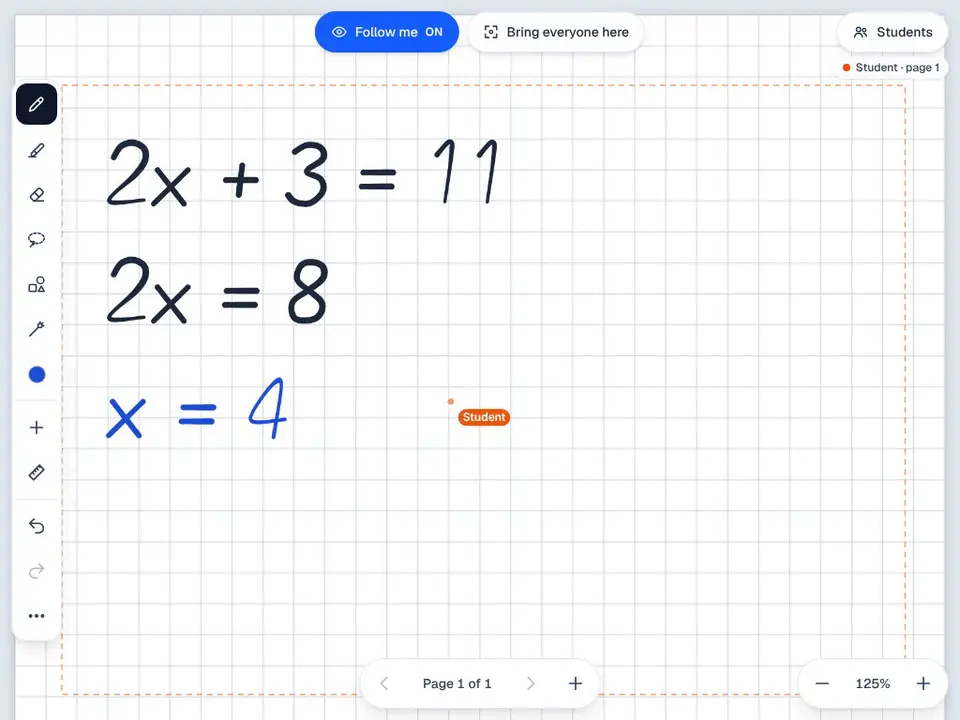
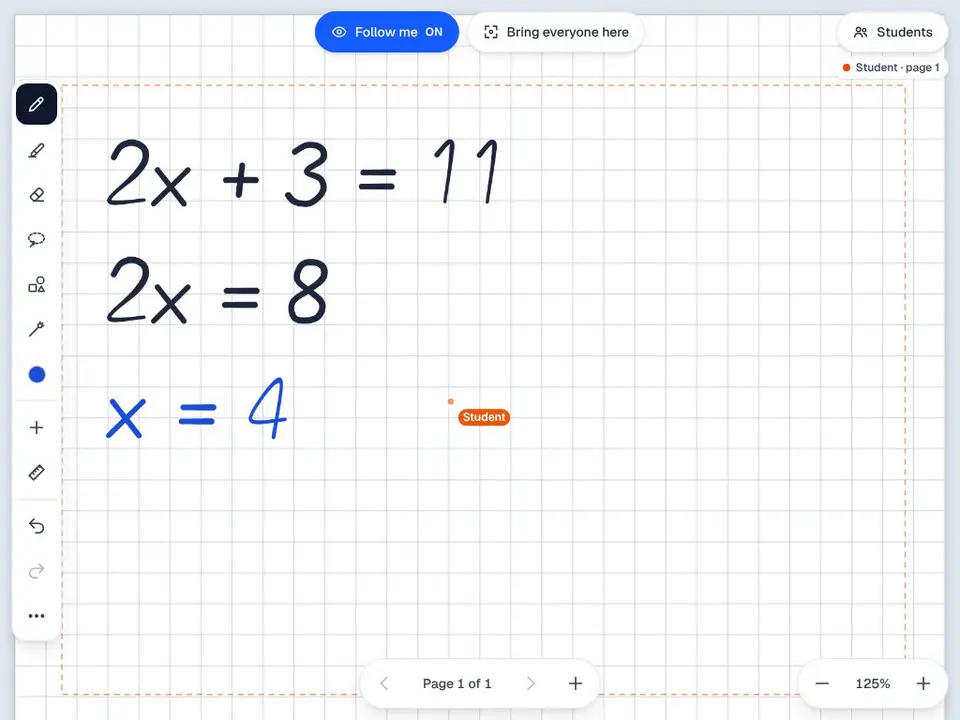
Working out an equation by hand on the lesson whiteboard.
A whiteboard you both write on.
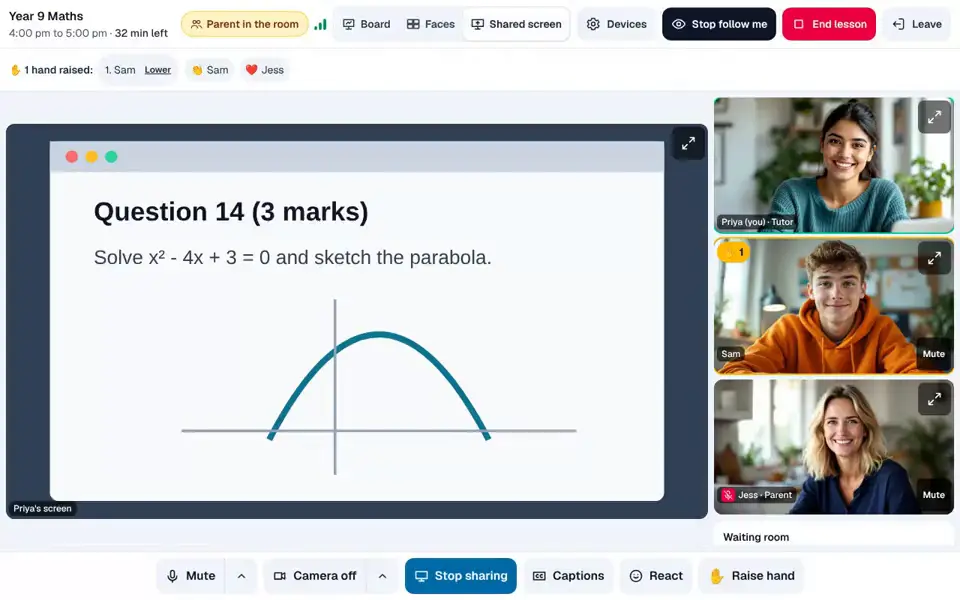
An online lesson: the shared screen, the tutor, the student and a parent on video.
An online lesson: tutor, student and a parent on video, with the shared board.

What you do not need to buy: a separate word processor, spreadsheet app, presentation app, whiteboard app, design app, video call app.

BTA also runs its own team meetings in the same app.

Word, Excel and PowerPoint are trademarks of Microsoft Corporation. BTA is not affiliated with Microsoft.

For students

For students: everything they learn, in one app

Everything they practise, pitched at their level, in one safe login.

Eleven languages, from first words to the top level

French, Italian, Spanish, German, Greek, Indonesian, Japanese, Korean, Mandarin Chinese, Western Armenian and Gujarati, from their very first words up.
  • Six levels in each, A1 to C2
  • Short lessons, a few new words at a time
  • Tip cards for grammar, and stories to read
  • Words come back for review
  • Available as an add-on to your tutoring
Choosing a language: eleven courses, from French and Japanese to Western Armenian and Gujarati.
Eleven languages to choose from, each starting from first words.
Sam's French course: the units and lessons he has done and the next one to open.
A course map: the lessons done, and the next one ready to start.

A typing course built in, from Kindergarten up

A complete typing course, from the home keys to timed tests, included with your tutoring.
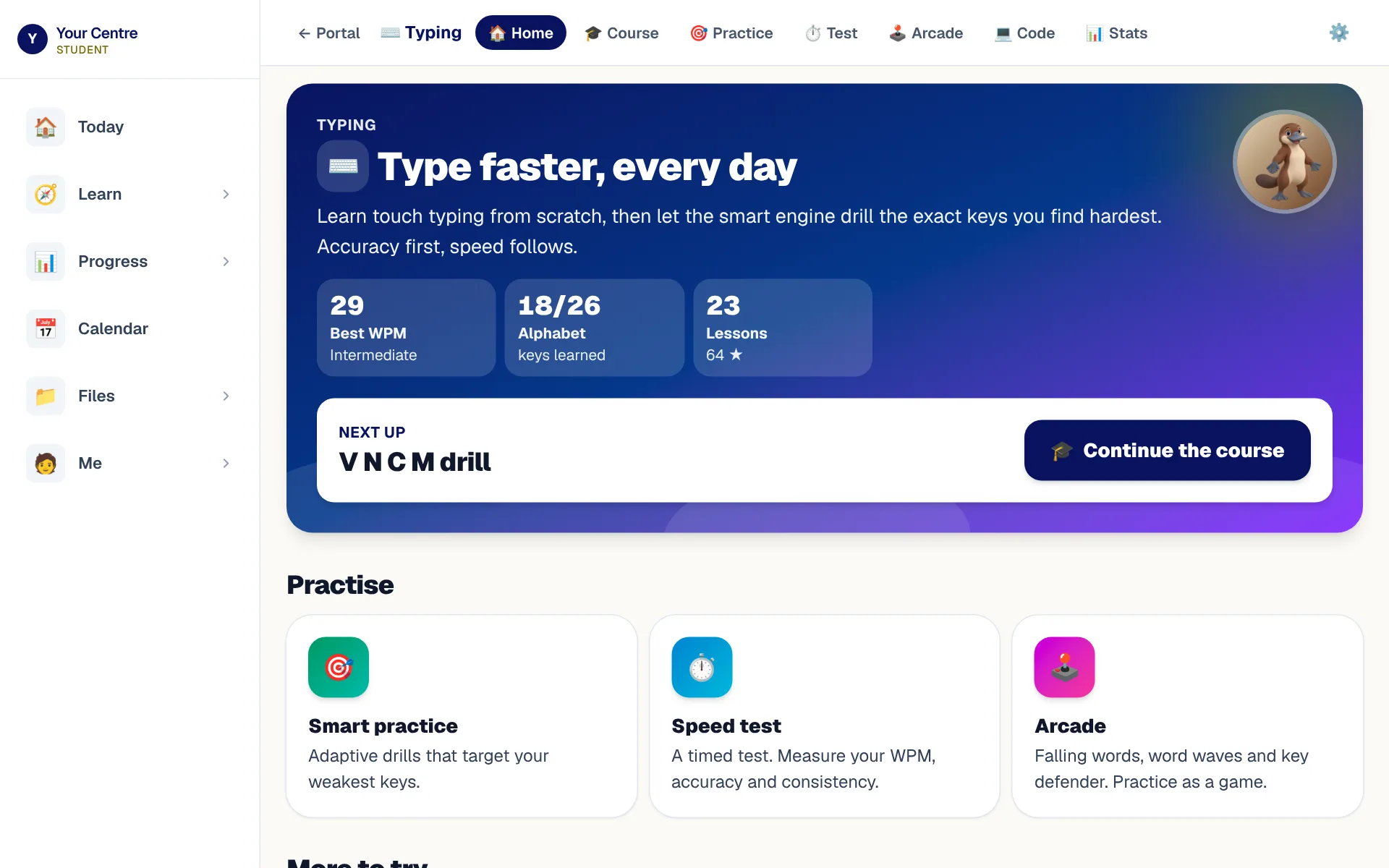
  • A junior track for Kindergarten to Year 2
  • Hands on screen show the right finger
  • Speed and accuracy charted over time
  • Certificates to print at each milestone
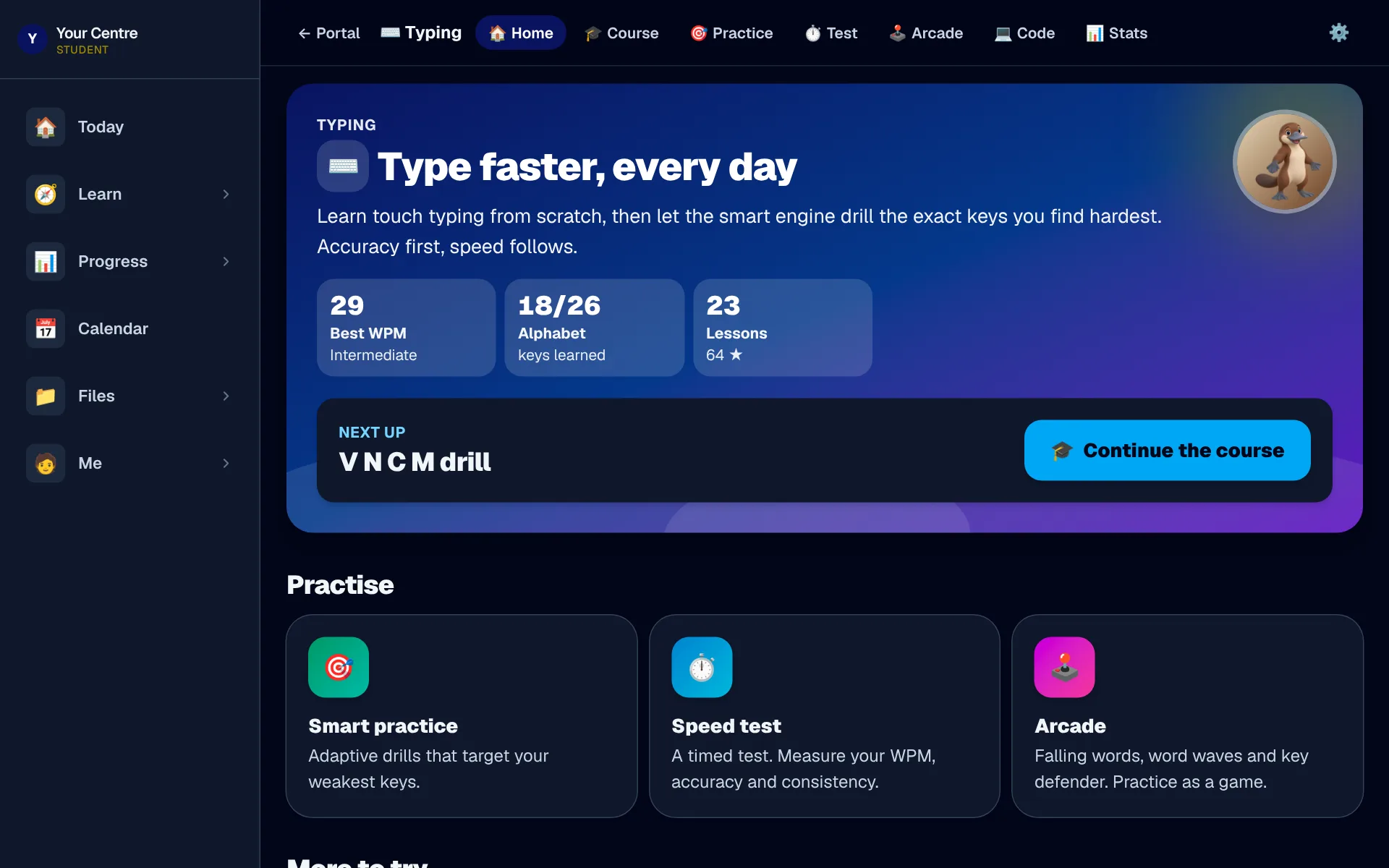
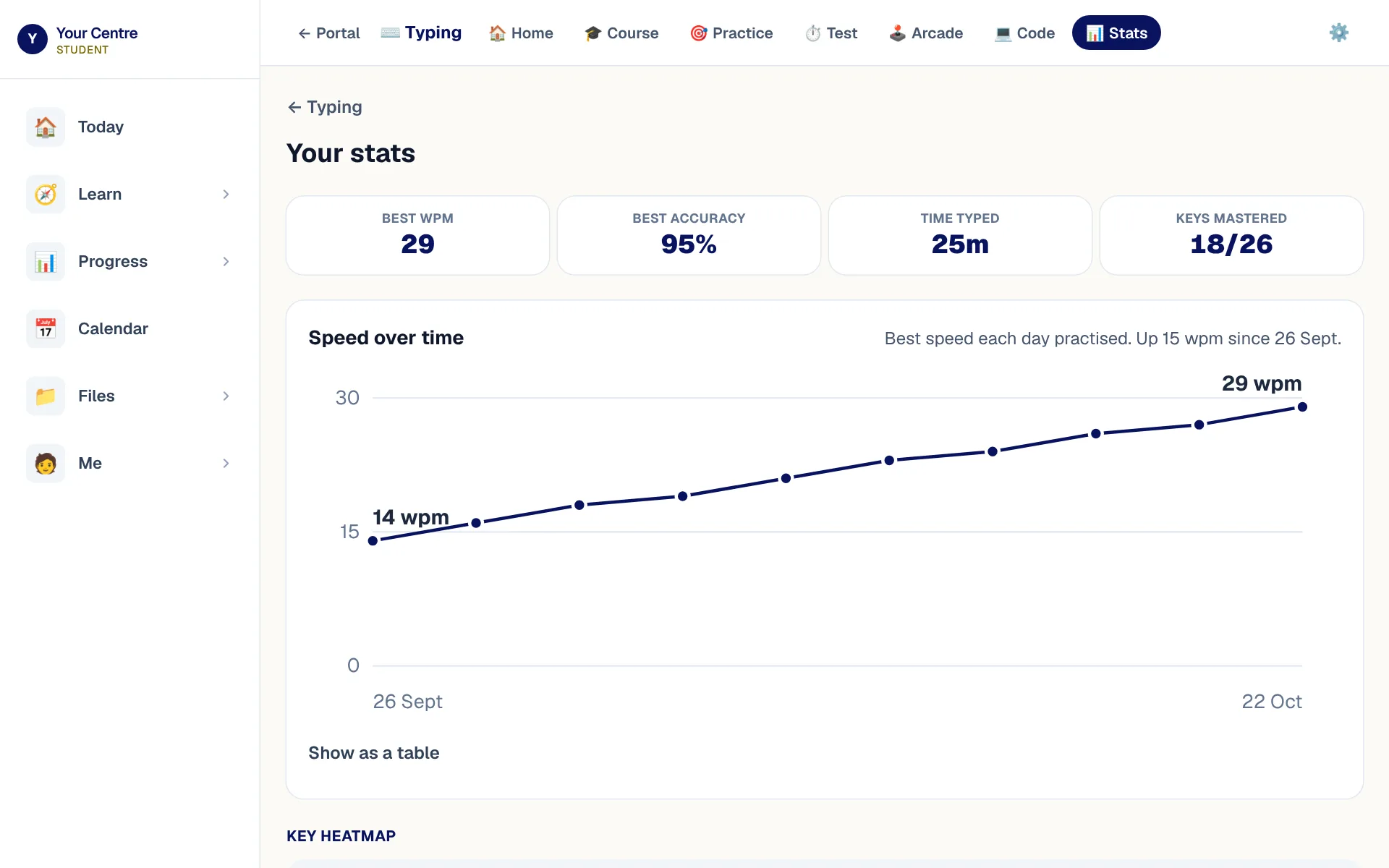
Sam's typing home: his best speed, the course and the ways to practise.
Sam's typing: his best speed, the course, and ways to practise.
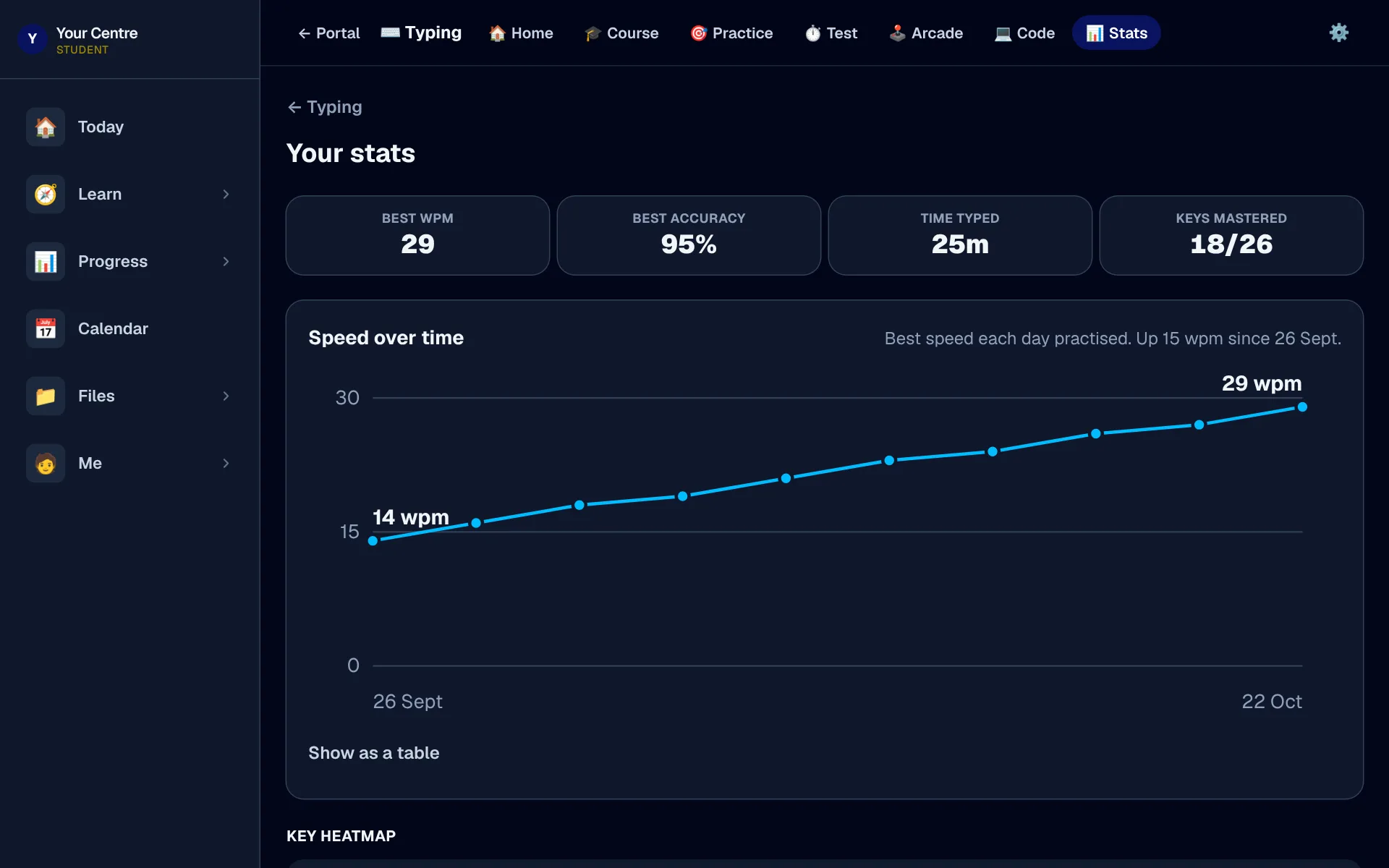
Sam's typing progress: his speed and accuracy charted over the last week.
His speed and accuracy, charted over time.

Spelling and reading at their level

A weekly spelling list and a reading library, both pitched at your child's level.
  • Try the test, practise, then test again
  • Every word said aloud, marked letter by letter
  • Tricky words come back until they stick
  • Stories read aloud at three speeds
  • Steps up after three strong books
The reading library: Ella's next book, her level and the stages ahead.
The reading library, opening at the next book for Ella's level.
Spelling on a phone: Ella's level, her tricky words and the next list.
Spelling at Ella's level, starting from where she is up to.

Maths games and tools that keep up with them

Quick games set to their year, and tools that help them see the idea.
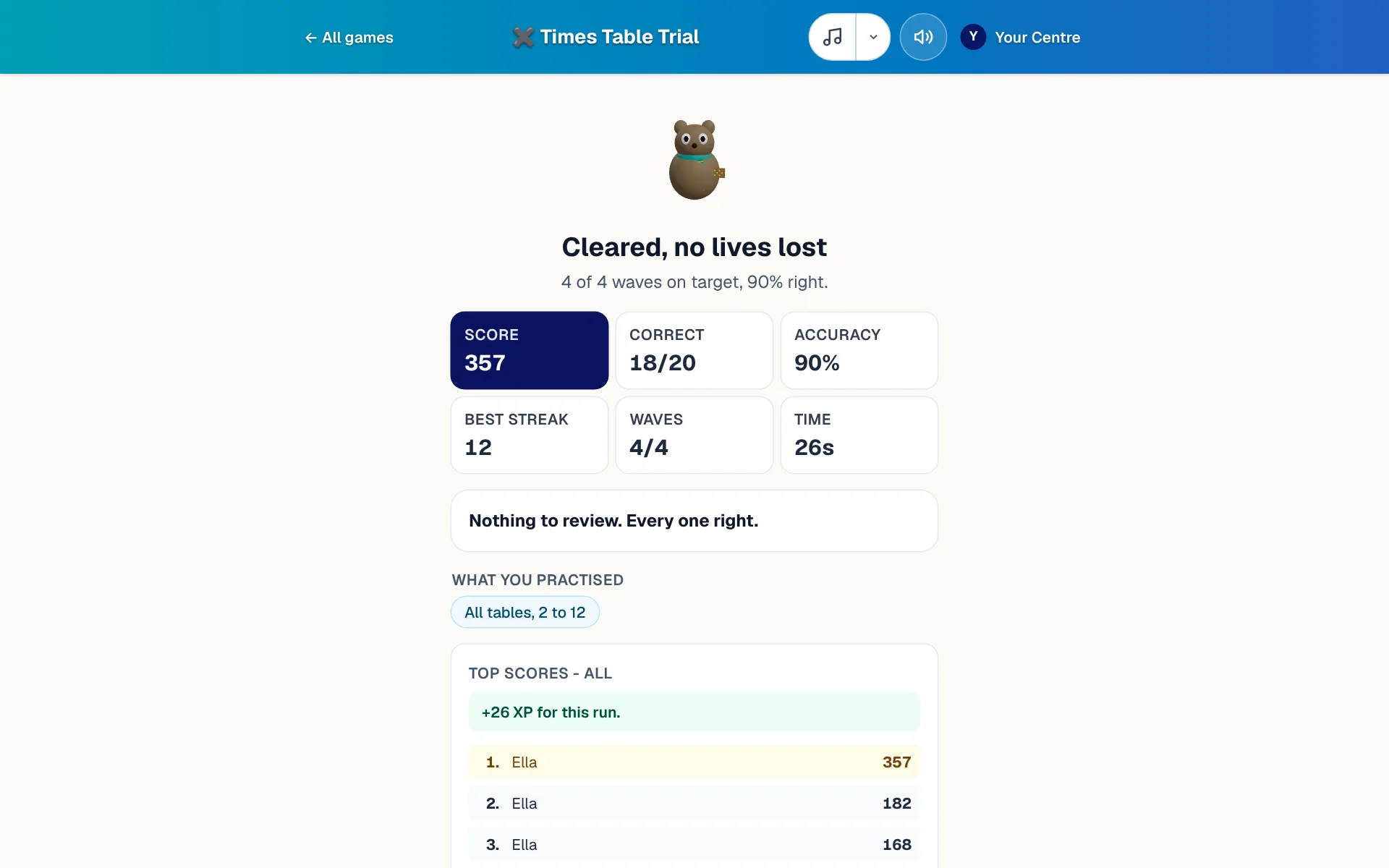
  • Times tables, number facts, place value, fractions
  • Harder after three right, easier after two misses
  • Every miss explained, then brought back
  • Over twenty tools, from ten frames to graphs
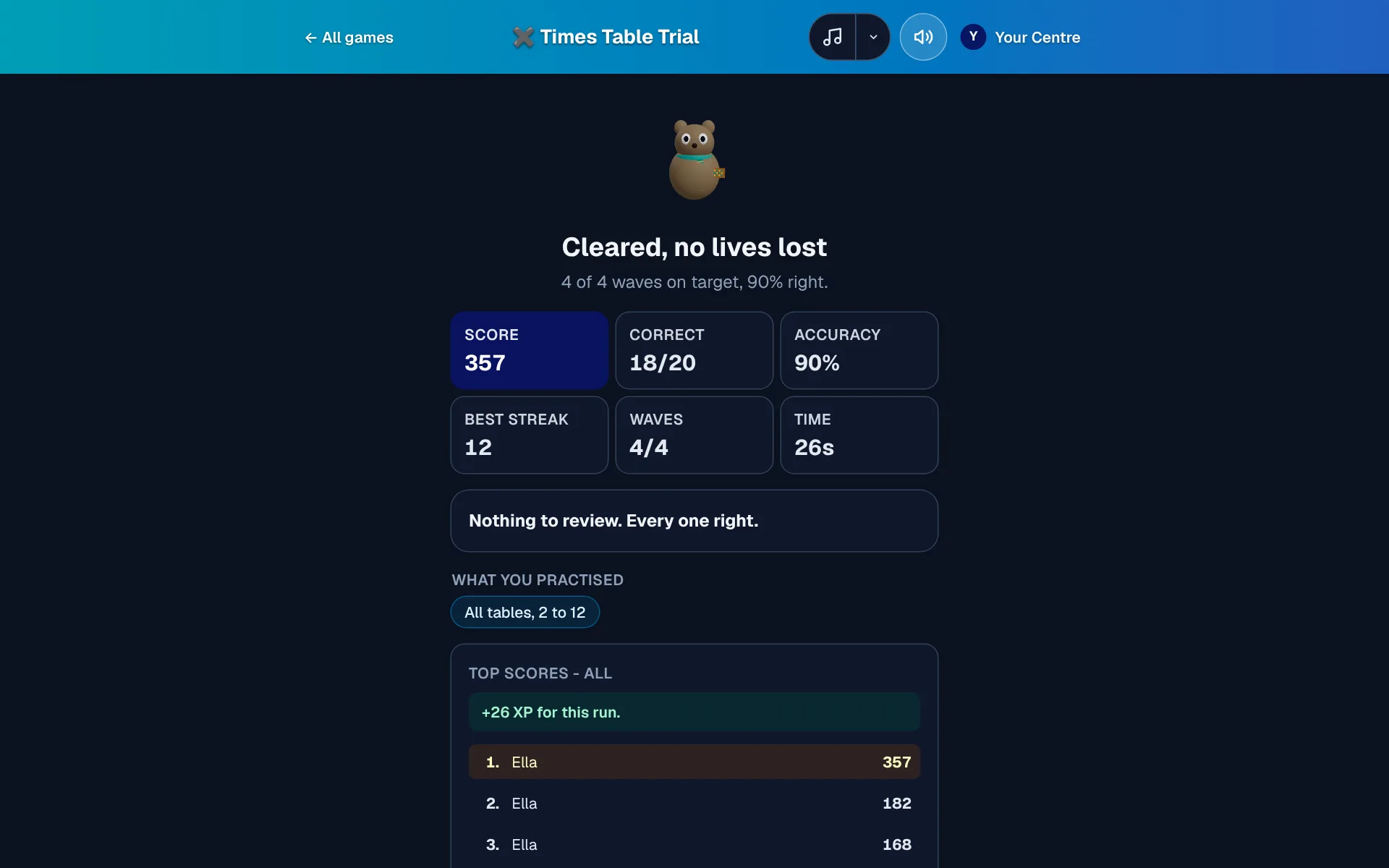
The end of a times-table run: score, facts right, accuracy, best streak and what comes back later.
The end of a run: score, accuracy, best streak, and facts that come back later.
The graph plotter drawing a parabola, with its intercepts and turning point marked.
The graph plotter marks every intercept and turning point.

A Bushmate that grows as they learn

An Australian animal that grows from an egg as your child practises.

  • A quokka, sugar glider or platypus
  • Gear earned in maths, spelling and reading
  • A small daily goal sized to their year
  • Weekends never break a streak
  • A quokka joey cheering
  • A young platypus cheering
  • A sugar glider joey bouncing happily

Their own documents, spreadsheets and slides, safely in the app

No need for a separate Word or PowerPoint account: it's all in the app.
  • Documents, spreadsheets, slides, whiteboards, designs
  • Private to your child until they share
  • Shared with staff? You're added automatically
  • No ads, and their work stays with BTA
  • Saves as a Word file when needed
Sam's documents: an essay, a spreadsheet, slides, a whiteboard and a poster.
Sam's own documents, spreadsheets, slides, whiteboards and designs.
Sam writing his English essay in the document editor.
Writing an essay, in the app, with nothing else to sign up for.

Exam dates, with a countdown

Every school exam on one list, counting down, so revision starts in time.
  • Added by your child, you or their tutor
  • Attach a photo of the notice
  • A countdown on their home screen
  • On the family calendar too
Sam's exams: his maths half-yearly, counting down.
Every exam on one list, counting down.

The Bookshelf

Lessons, worksheets and practice papers to read on screen, at their level.

  • Search by subject and topic
  • Pick up where they left off

Word, Excel and PowerPoint are trademarks of Microsoft Corporation. BTA is not affiliated with Microsoft.

See everything your child gets

Good value

One app instead of a stack of subscriptions

Practice your child would otherwise need separate apps for comes with your BTA tutoring.

languages, as an add-on
11languages, as an add-on
hands-on maths tools
20+hands-on maths tools
quick maths games
5quick maths games
login for all of it
1login for all of it
  • No separate reading or maths practice apps
  • Fewer workbooks to buy
  • A full typing course, from Kindergarten up
  • Their own documents, spreadsheets and slides
  • Study music, nature sounds and guided meditations built in
  • Music without lyrics and steady rain help many children settle
  • Practice at their level, whatever their class covers

Safety and privacy

Safe by design

How BTA keeps your child safe, and what you can always see.

  • Checked tutors

    Tutors need a current working with children check, and our team verifies it in the app.

    • Each check kept on file
    • With its expiry date
  • You can see what we send

    No private message channel between staff and your child.

    • Anything staff share with them includes you
    • Even if they leave you off
  • Their work stays theirs

    A child's own documents are private until they share them.

    • Everything stays in the app with BTA
    • No outside office service
    • No advertising
  • Nothing sold to your child

    Your child never sees a price or an upgrade prompt.

    • Anything to buy is shown to you
  • Photos are your choice

    You choose whether photos of your child may be used.

    • Until you say yes, the answer is no
    • Change it at any time
  • Report a concern

    Worried about your child's safety? Report it from the app.

    • Straight to the people responsible
    • A safety concern alerts them at once

Questions about how we keep your child safe? Emailcontact@thebta.au

For parents

For parents: the week at a glance

Every child's lessons, homework, marks and tutor notes, without chasing anyone.

  • Every lesson, and the tutor's notes

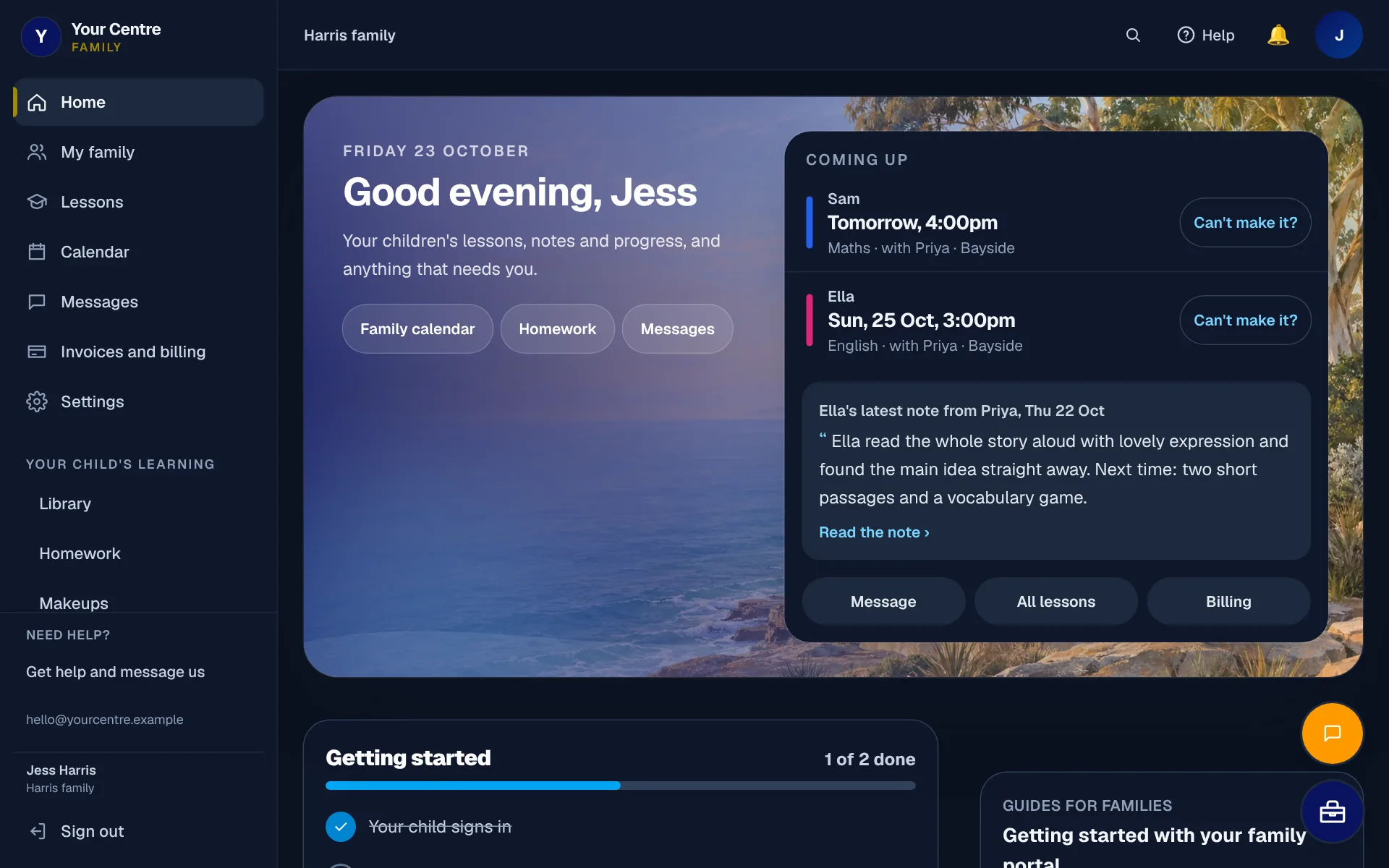
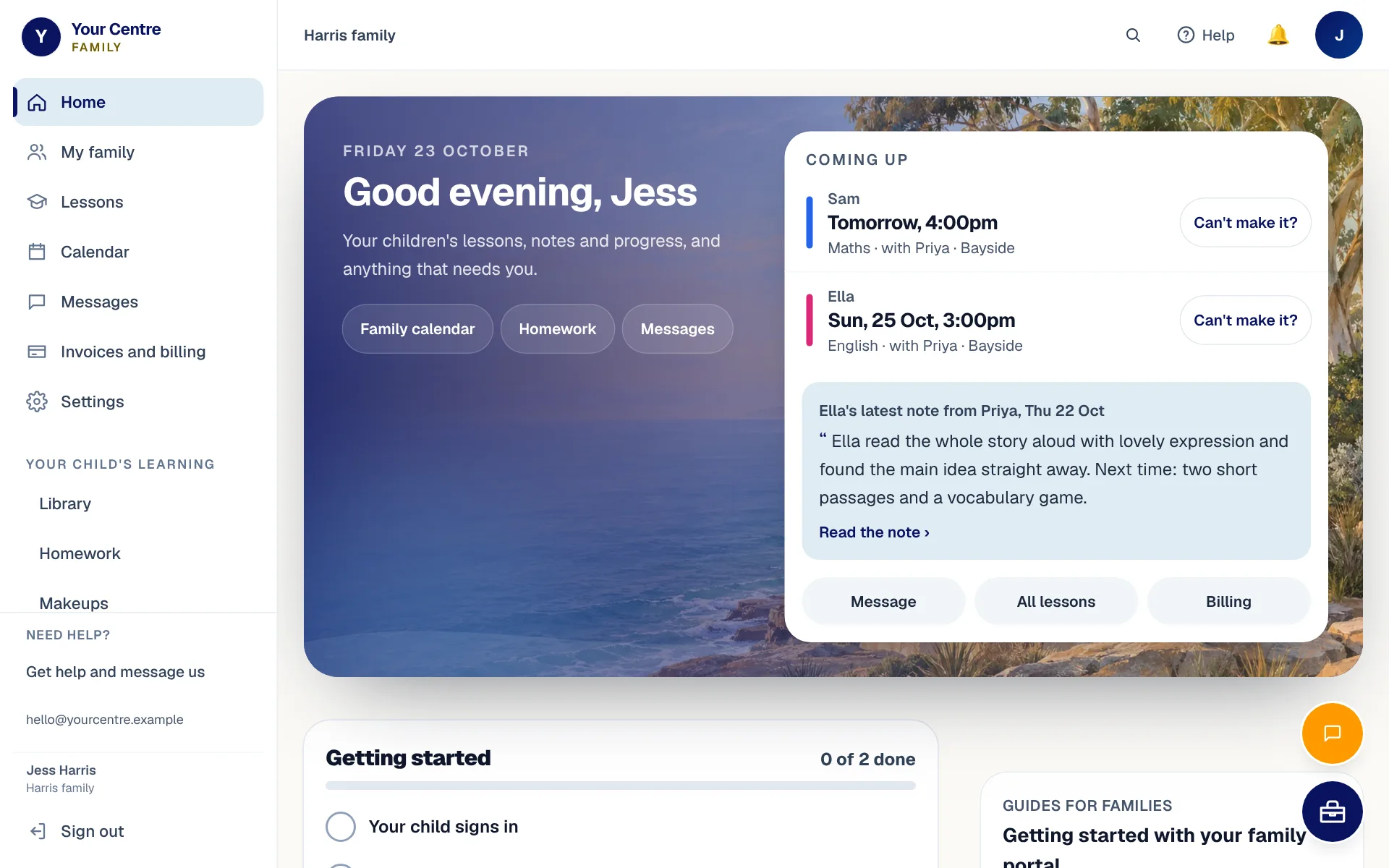
    Each child's next lesson and the tutor's latest note, on your home screen.
    • Each child's next lesson
    • Who is teaching, and where
    • The tutor's notes afterwards
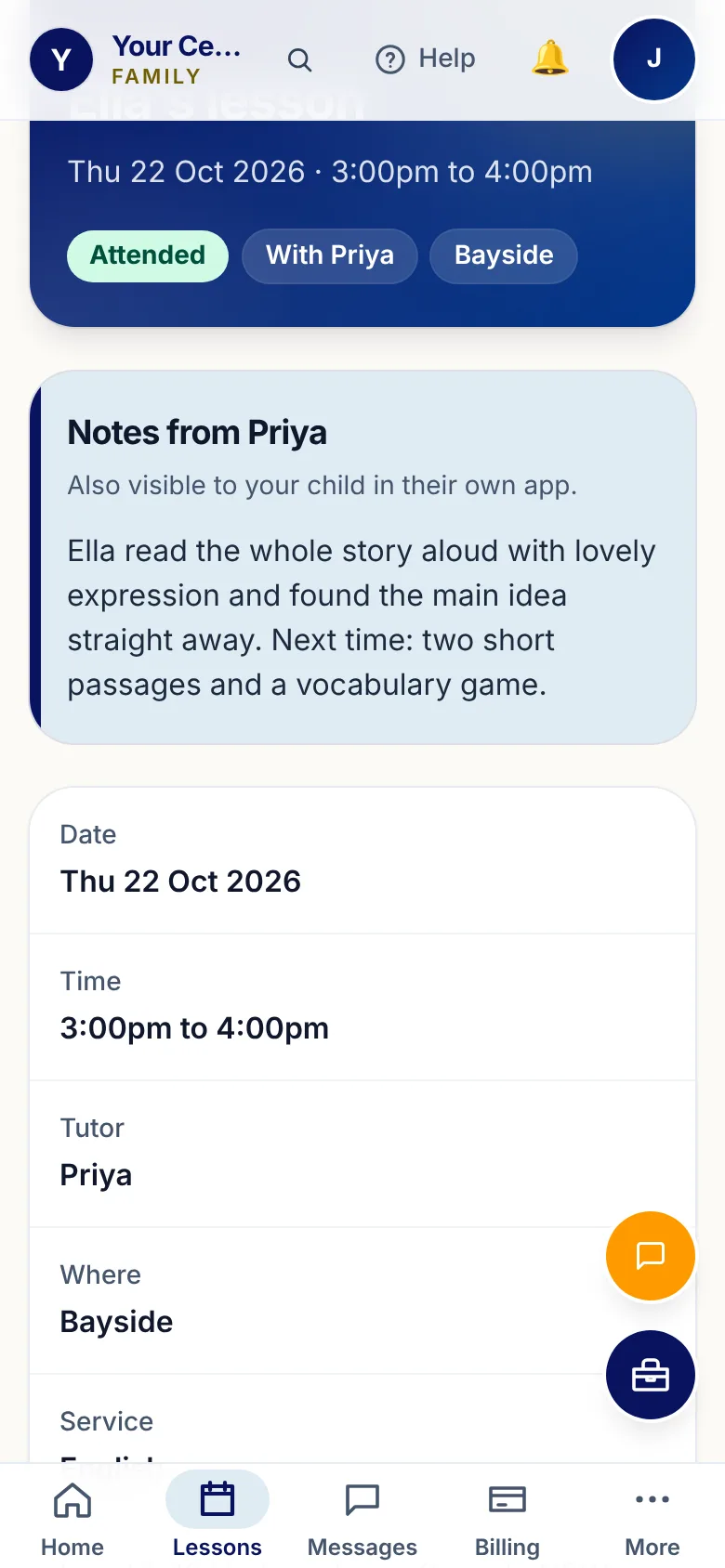
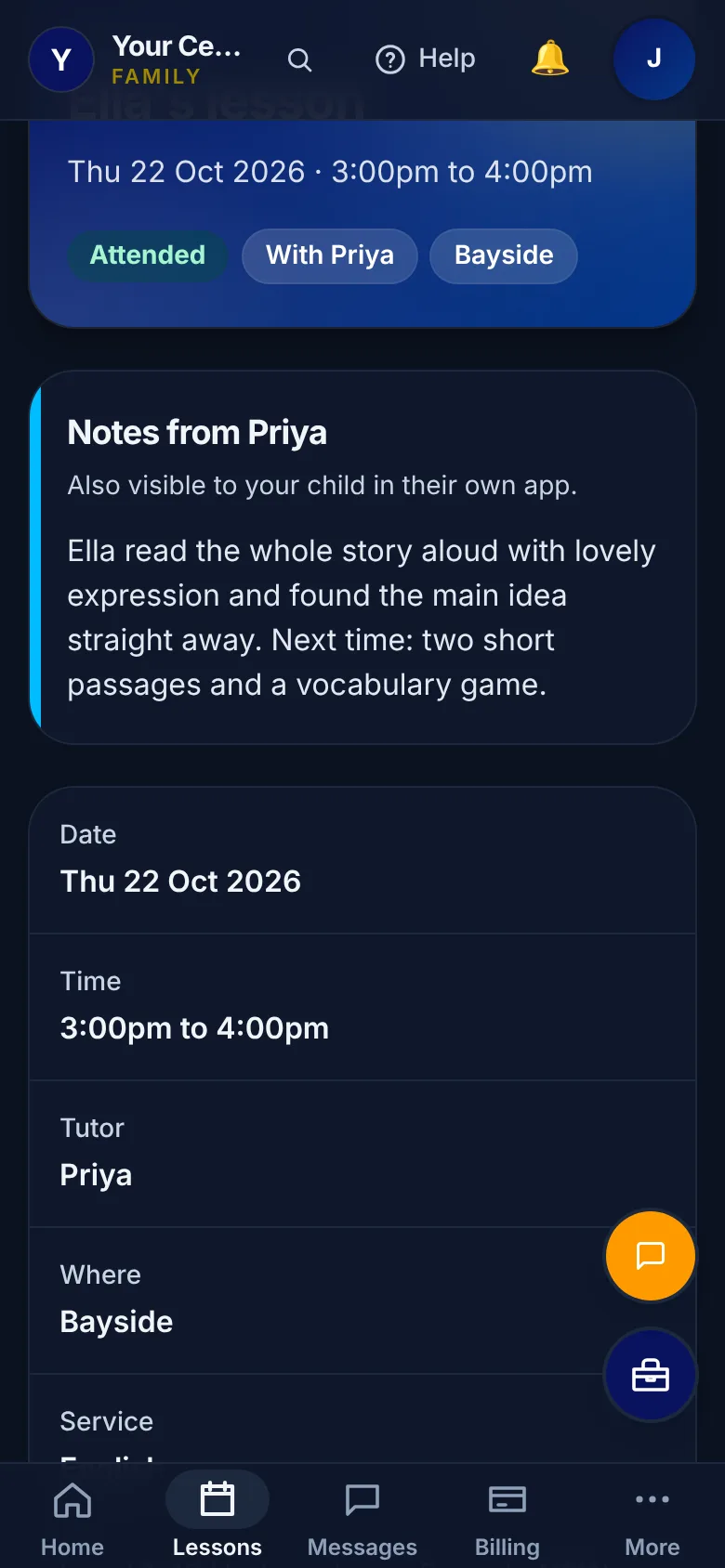
    The parent's home screen: Sam's and Ella's next lessons, and Priya's latest note about Ella.
    Jess's home screen: each child's next lesson, and the tutor's latest note.
  • The whole family on one calendar

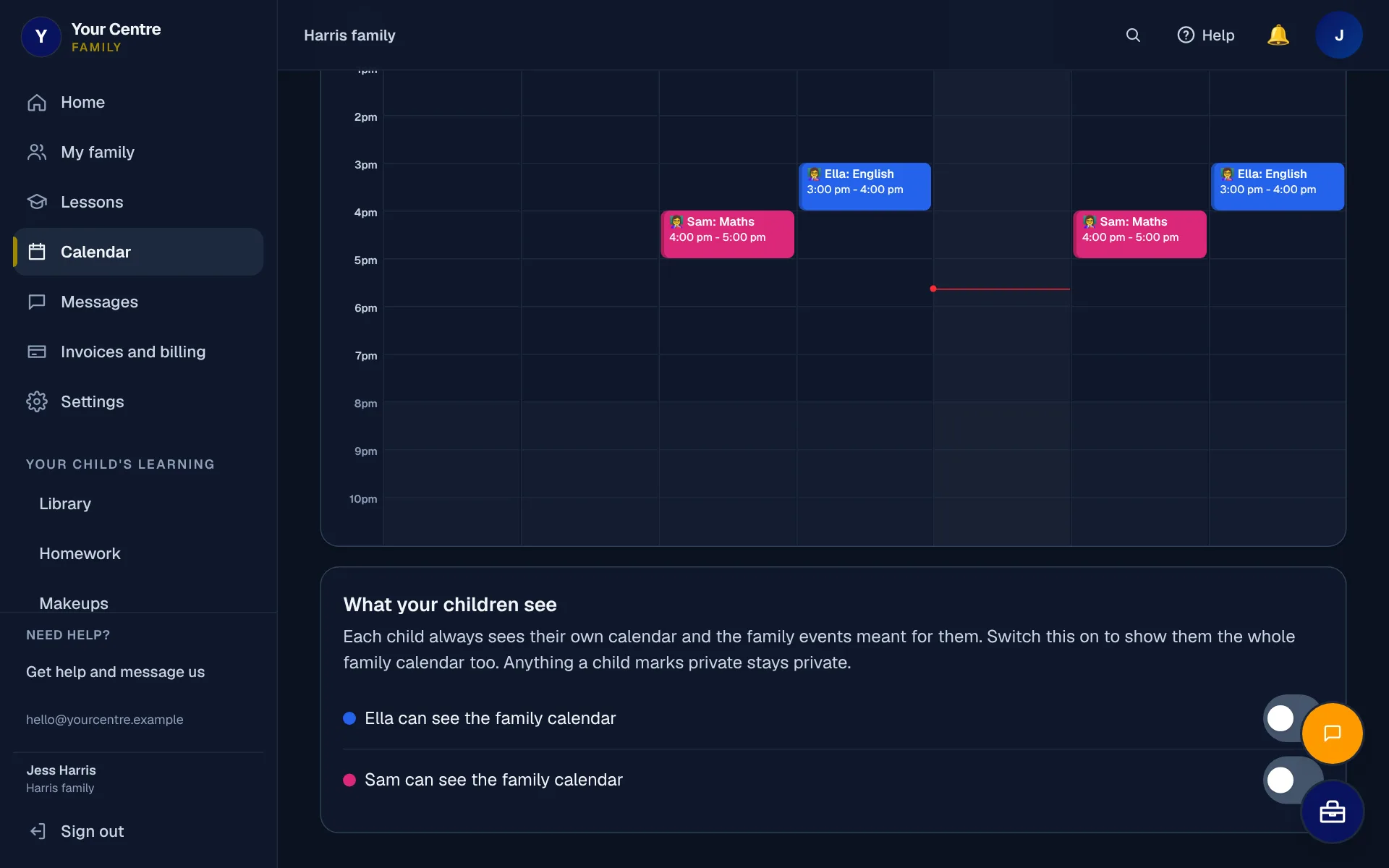
    Every child's lessons, homework and exams on one family calendar.
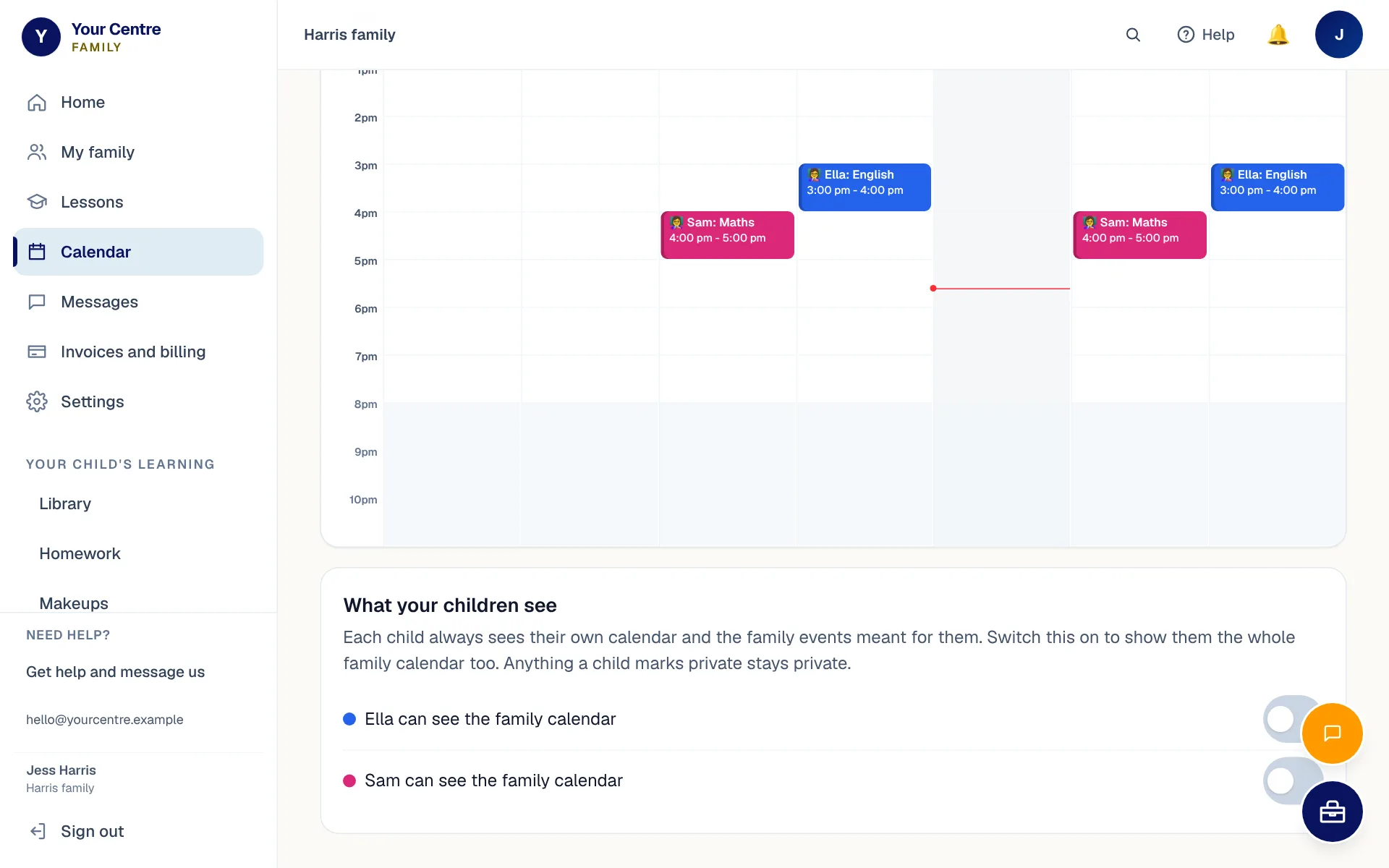
    • Each child in their own colour
    • Day, week, month and list views
    • Show one child at a time
    The family calendar: Sam's and Ella's lessons and homework for the week, each child in their own colour.
    The family calendar: both children's week, each in their own colour.
  • Homework and marks

    What each child has been set, when it's due and how it went.
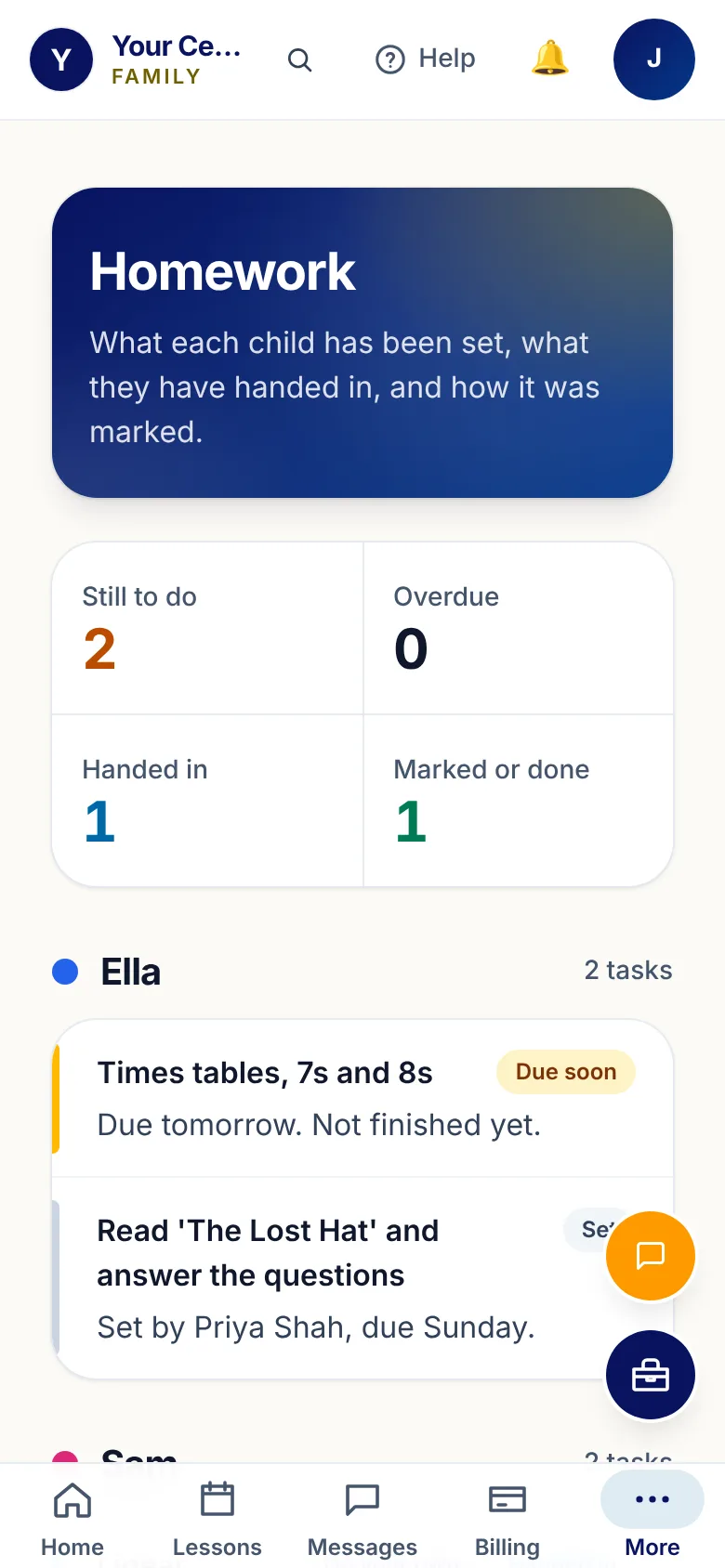
    • Due, handed in and marked, at a glance
    • The tutor's mark and comment
    • "On your own" shows work done without help
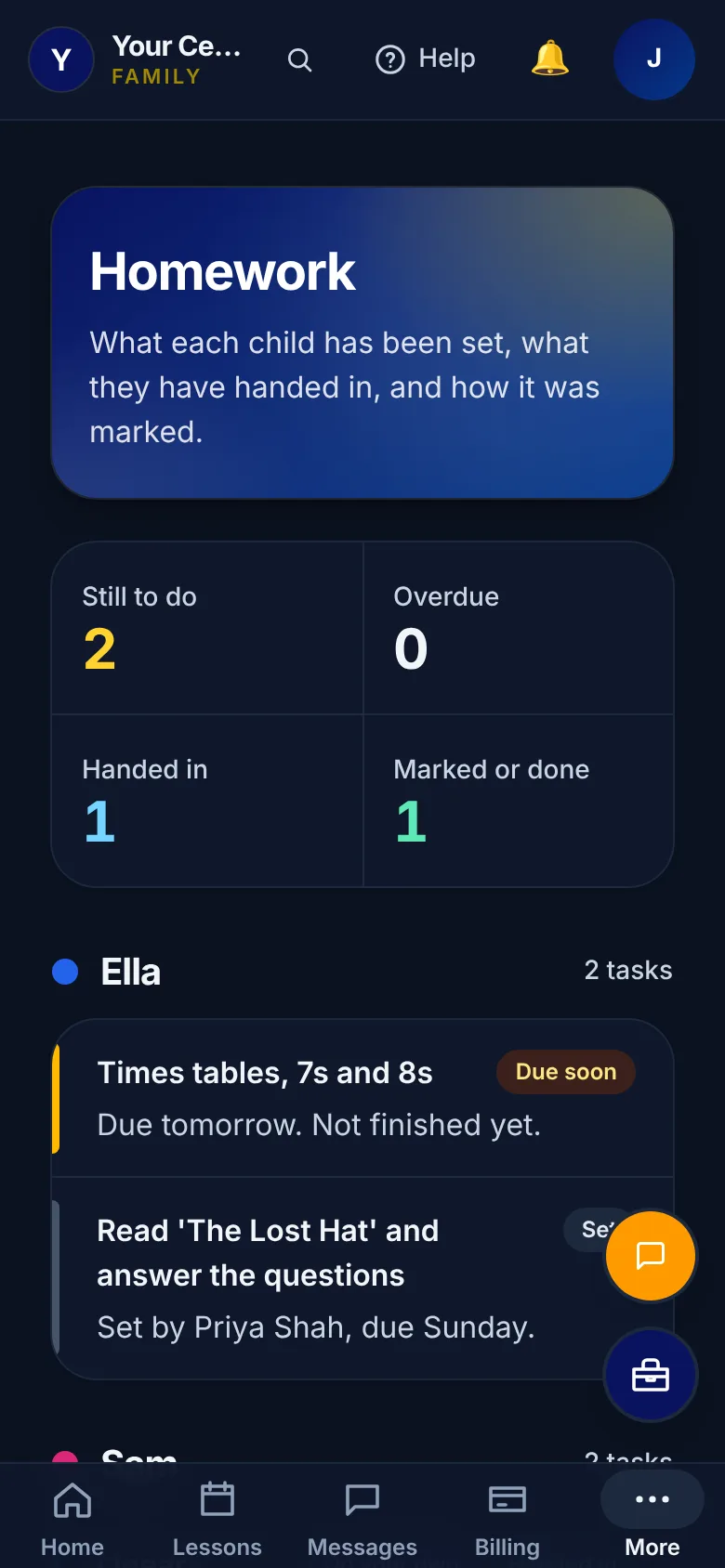
    Homework for Ella and Sam: what is due, what was handed in, and Priya's marking.
    Homework for both children: due, handed in, and marked.
  • Message BTA

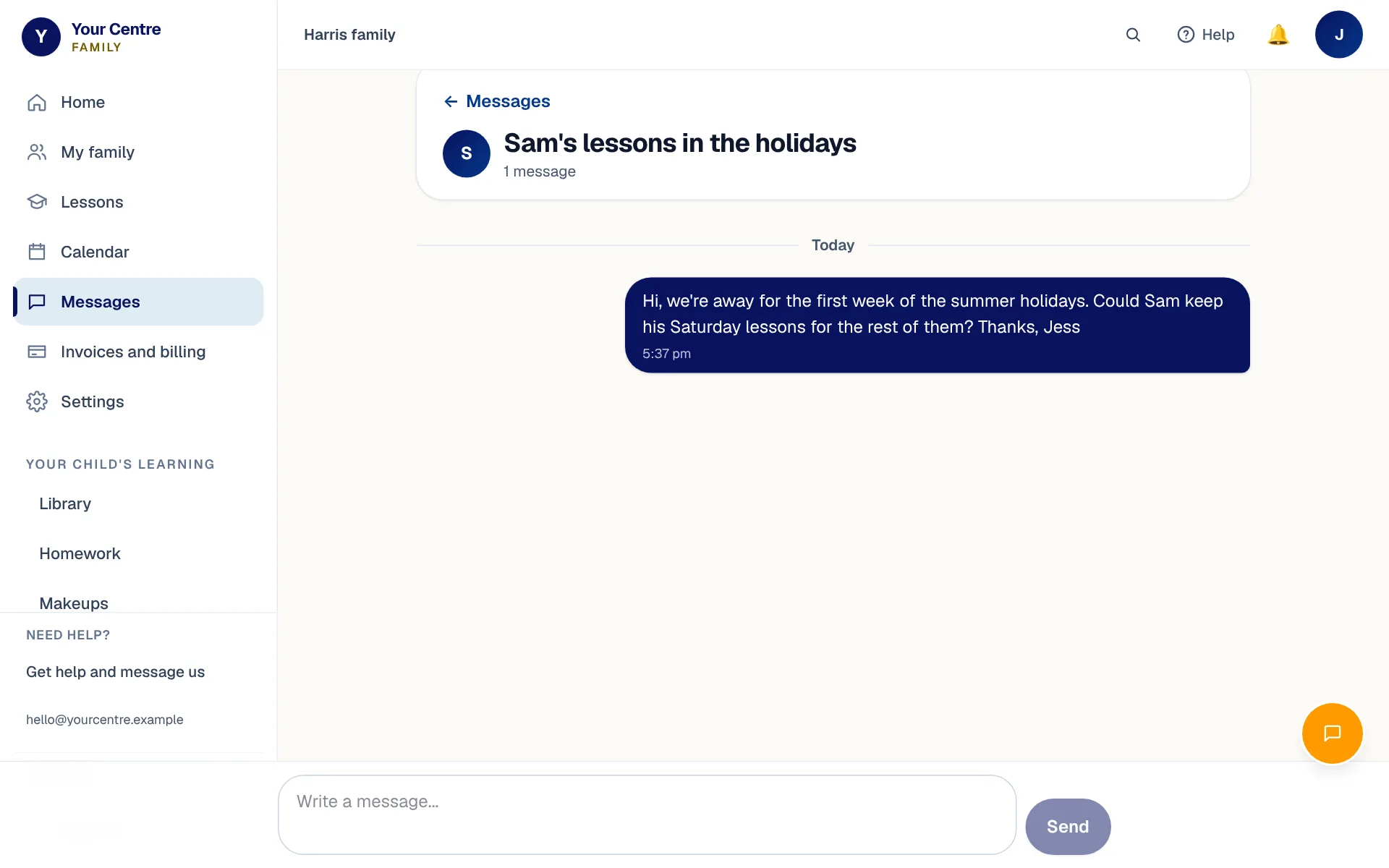
    Message the BTA front desk from the app, and read the reply there.
    • About the whole family or one child
    • Replies kept in one conversation
    • BTA's contact details at the foot of every page
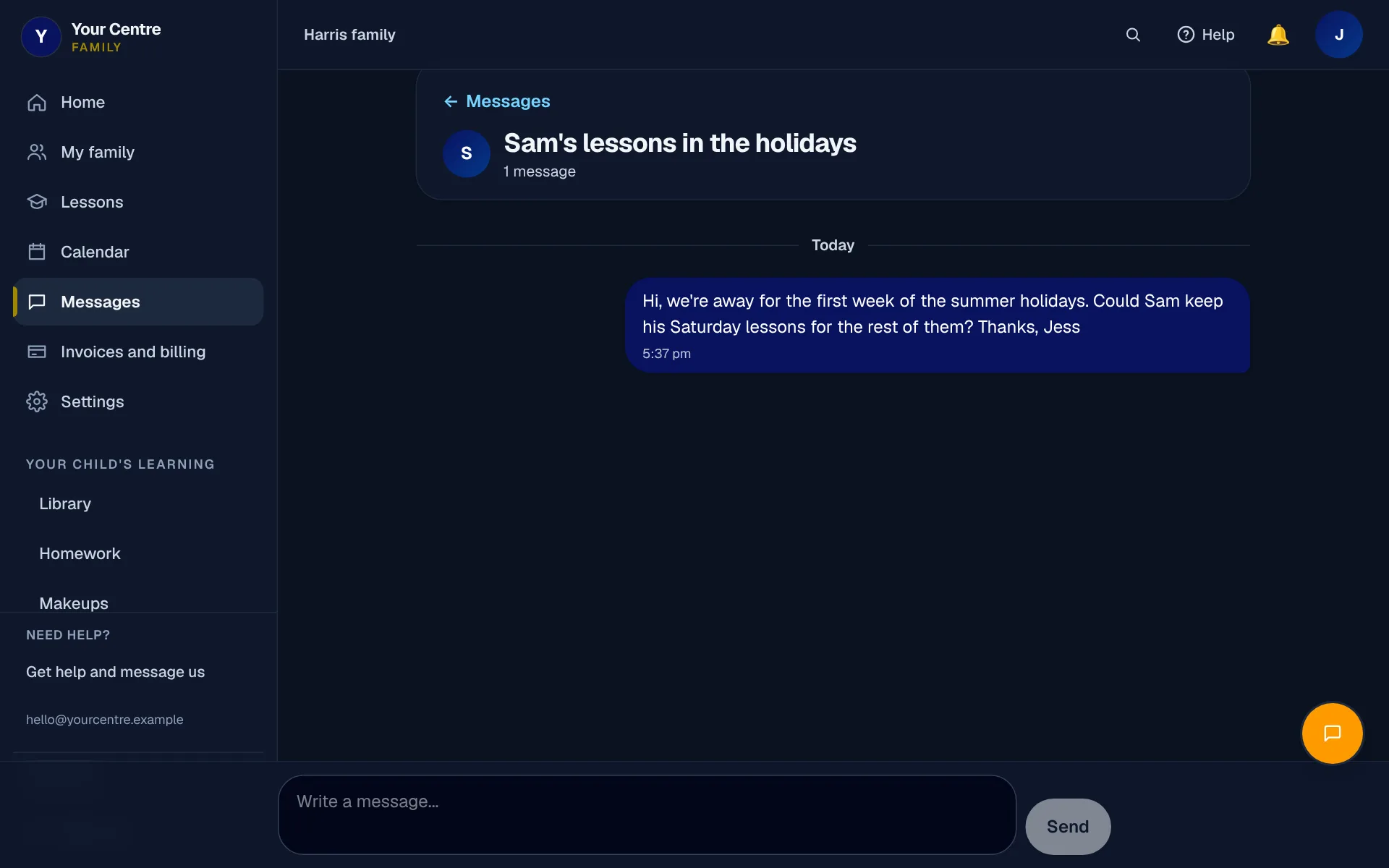
    A conversation with the front desk about Sam's lessons in the holidays.
    A message to the front desk, kept in one conversation in the app.

Online lessons

Online lessons that feel like the real thing

Online lessons happen in BTA's own classroom, straight from the app.

  • Face to face on video, with a shared whiteboard
  • A ruler, protractor, typed maths and graphs
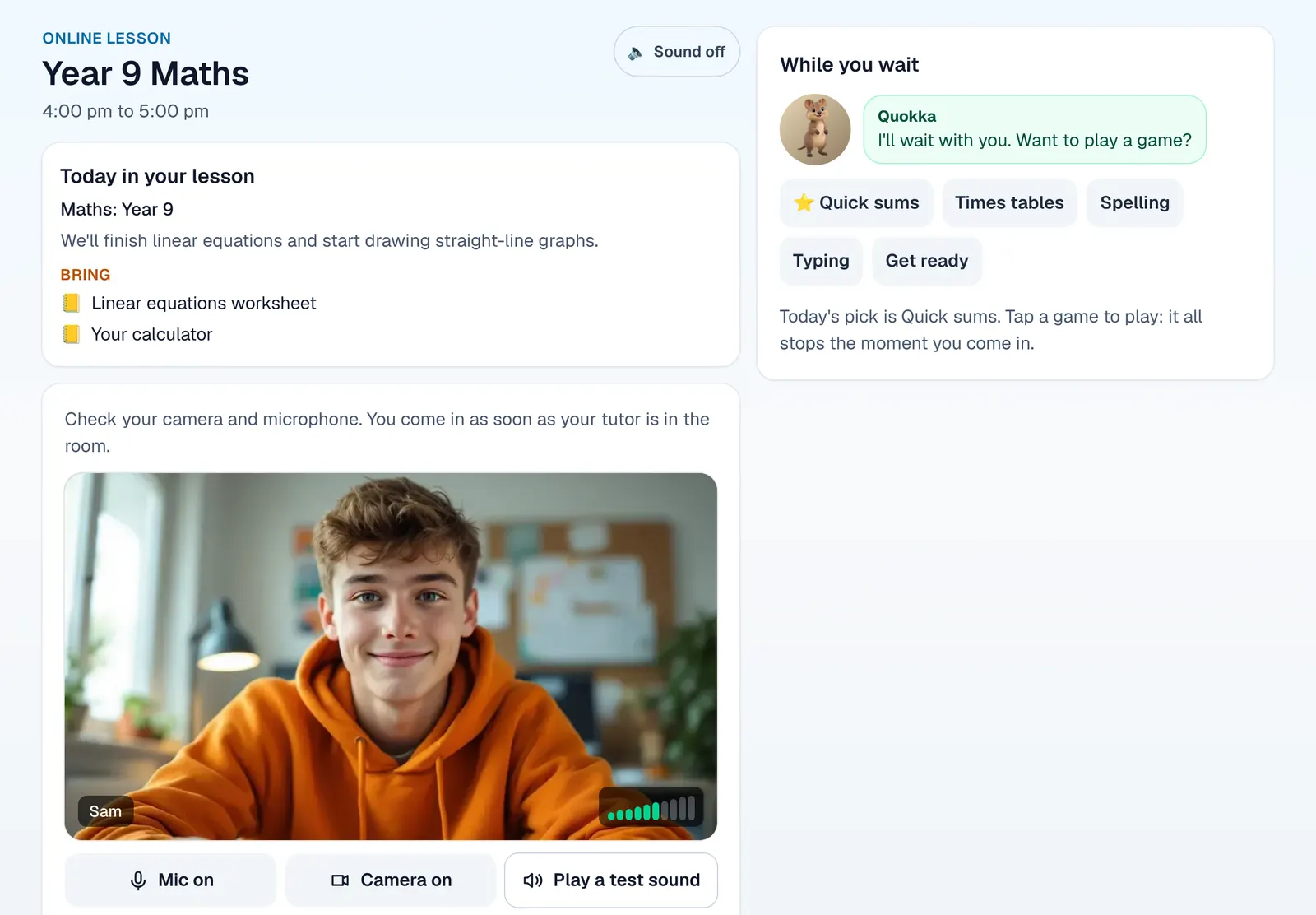
  • A camera check and games while they wait
  • You can join in from home
  • Raise a hand, react or answer a quick poll
  • No other app to install
An online lesson: the shared screen, the tutor, the student and a parent on video.

Join the BTA family

New to BTA? Enrol online. Already with us? Sign in to see your family's week.